Shiori
Shiori

Learn Japanese by actually reading Japanese.

Shiori(栞, “bookmark”)is a desktop reading companion built around comprehensible input: the primary activity is reading real Japanese text, and every other feature exists to support that.

Free & open source · Windows x86_64 · no accounts, no subscription, no cloud

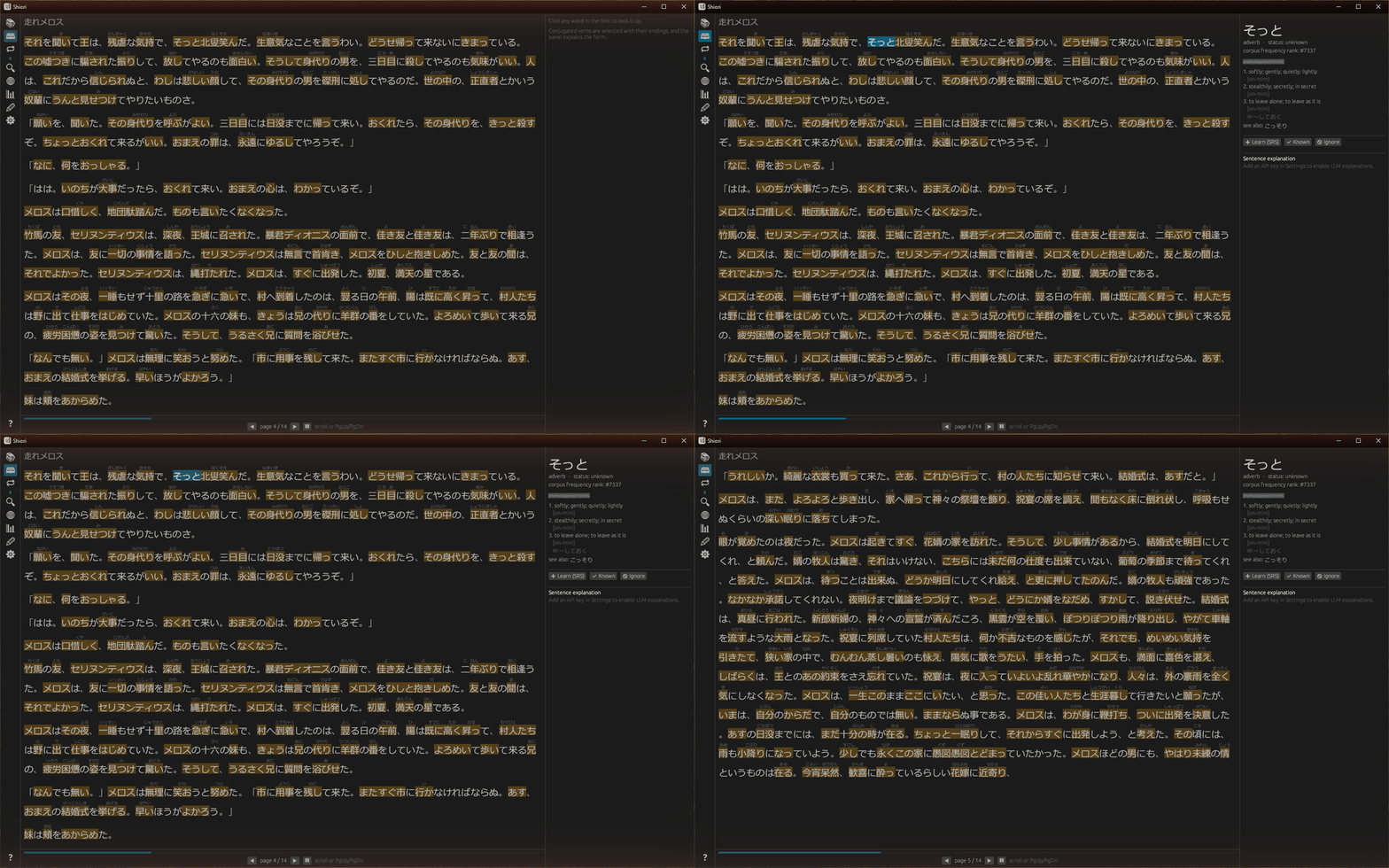
Reading in Shiori: furigana over unknown words, one click for the dictionary panel, one keypress to learn a word

Import any book. Read it. Click the words you don’t know — Shiori shows the dictionary entry, the usage register, the conjugation explained piece by piece — and one click later the word is in spaced repetition, anchored to the exact sentence you found it in. The app tracks every word you’ve ever met, grades each book in your library against what you know, and tells you what to read next.

A reader that knows what you don’t

Furigana appears only over words you haven’t learned — and in its strictest mode, only over the first few occurrences of each word per book: scaffolding that fades as you read deeper. Clicking a conjugated verb selects the whole phrase (読んでいる, not 読) and explains the form component by component.

The reading clock is honest, too: pages you flip through too fast don’t count, and the app pauses itself when you wander off.
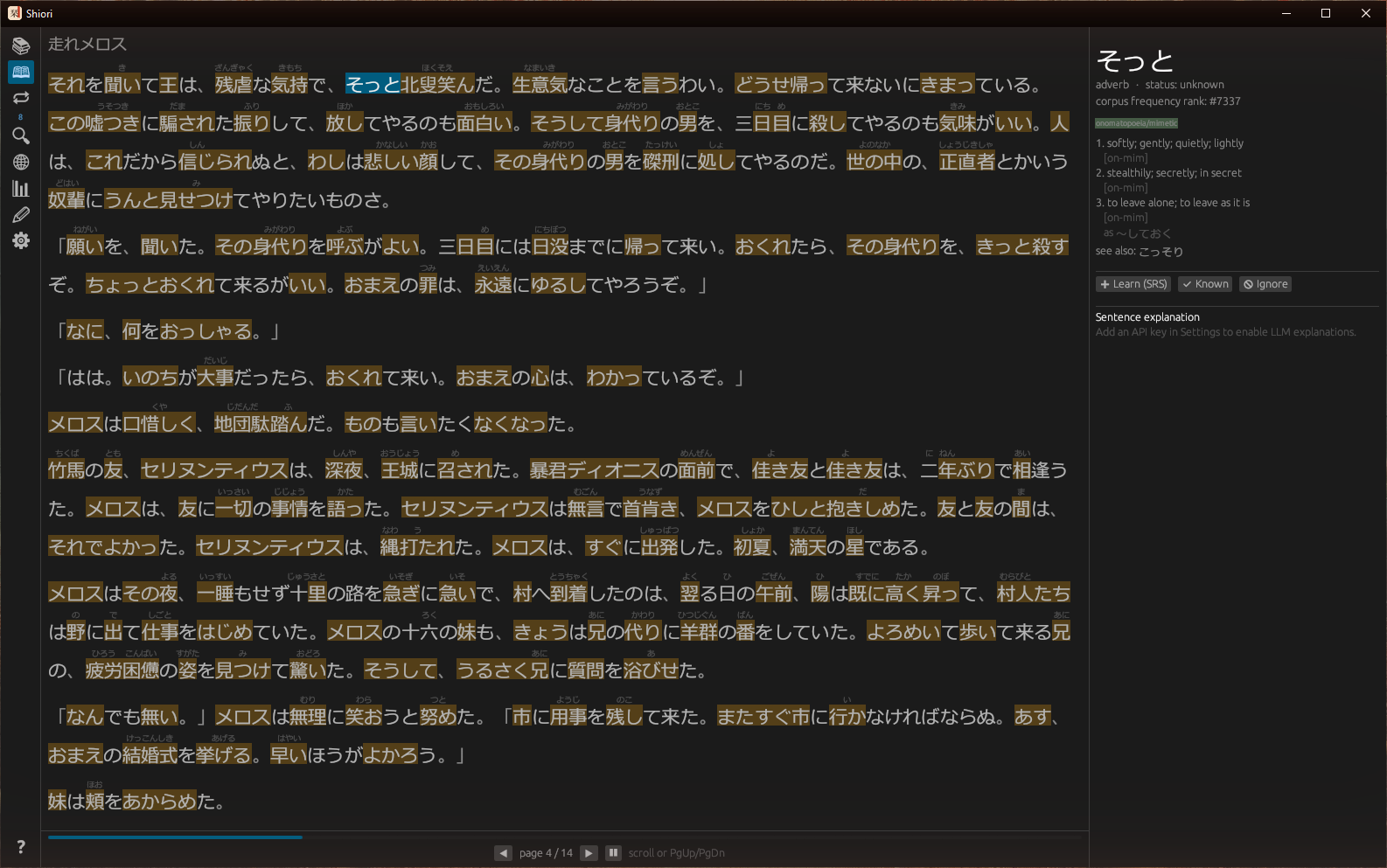
The reader with instance-anchored furigana, unknown-word tinting, and the dictionary panel

Conversation practice that doesn’t interrupt

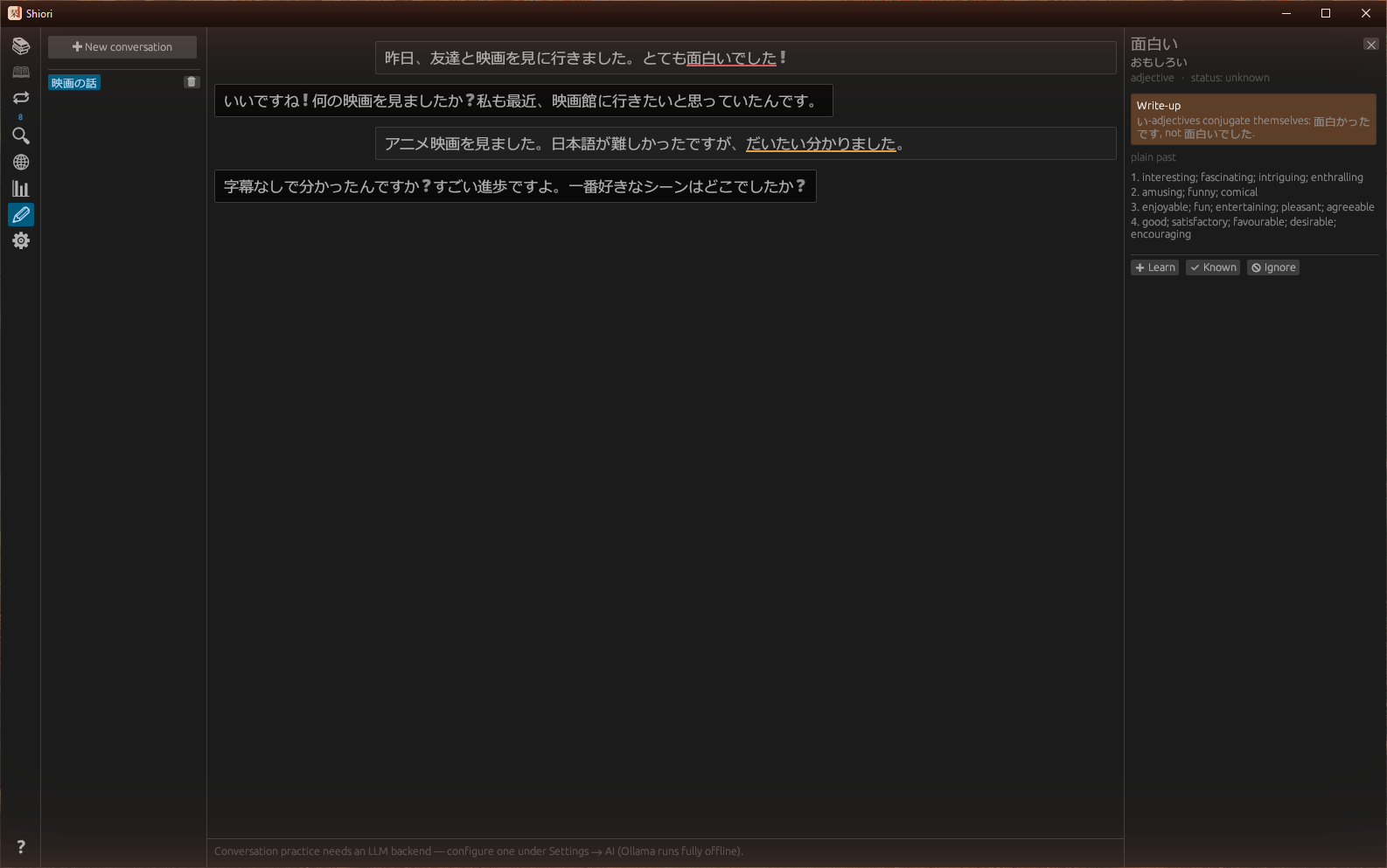
Chat with a native-speaker persona that converses with you and never corrects you mid-conversation. Instead, your messages come back marked up like a paper: red underlines for grammar errors, orange for phrasing a native wouldn’t use, with the explanation one hover away.

Bring your own brain: Anthropic’s API, any local model through Ollama (nothing leaves your machine), or any OpenAI-compatible endpoint.

Production chat: the partner converses while mistakes get paper-style underlines

A dictionary with stroke order built in

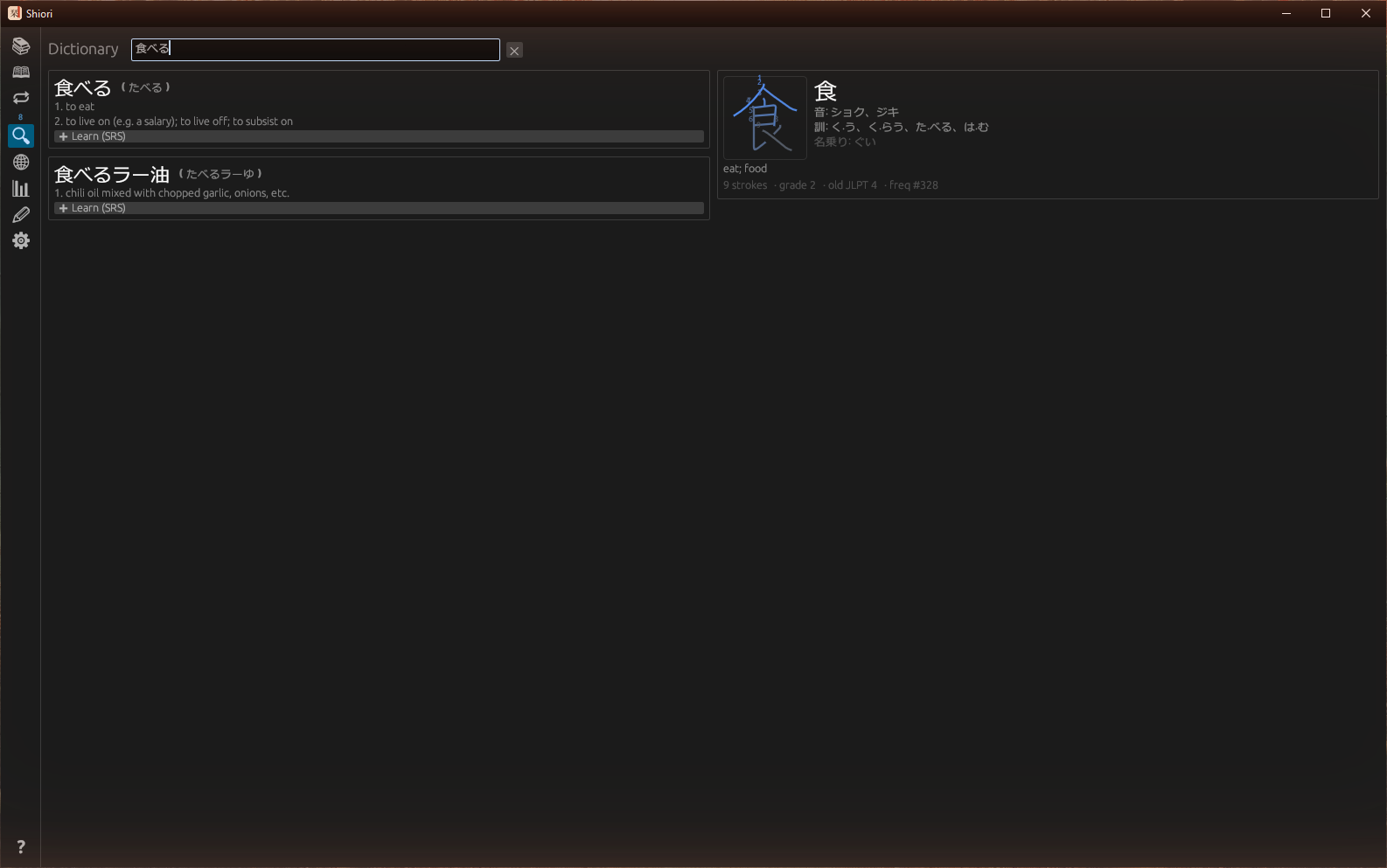
Search JMdict by kanji, kana, or any word form. Every kanji in your query gets a card — readings, meanings, school grade, and a numbered stroke-order diagram drawn from KanjiVG data — and you can add any hit straight to spaced repetition.

Dictionary view: word entries with prefix matches and a kanji card with a numbered stroke-order diagram

Books from the internet, one click away

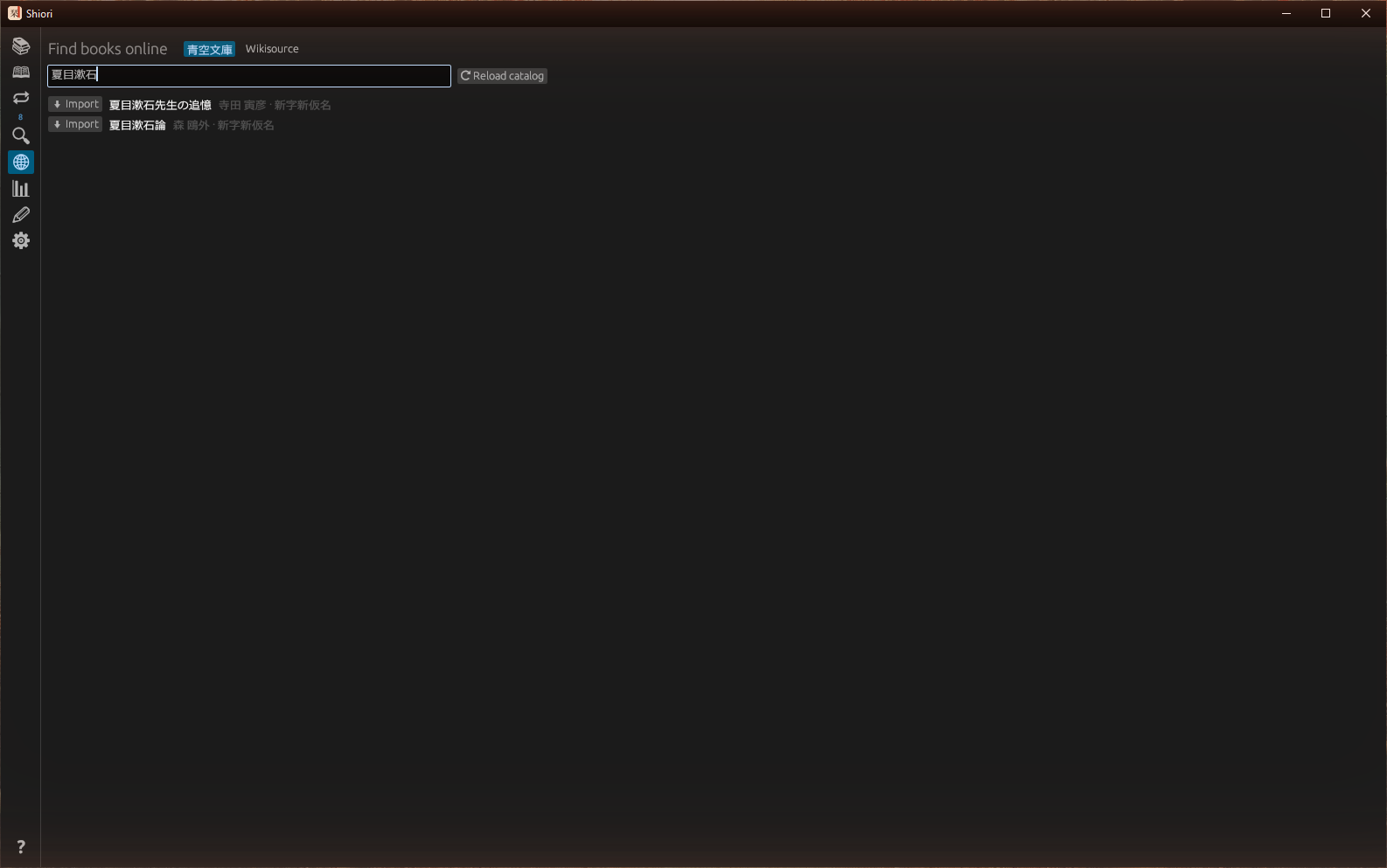
Search Aozora Bunko’s 17,000+ public-domain works and Japanese Wikisource, then import straight into your library — Shift_JIS, ruby markup and all. Aozora’s catalog is cached after the first fetch, so every search after that runs locally and instantly.

Sources view searching the Aozora Bunko catalog

Numbers that tell you what to read next

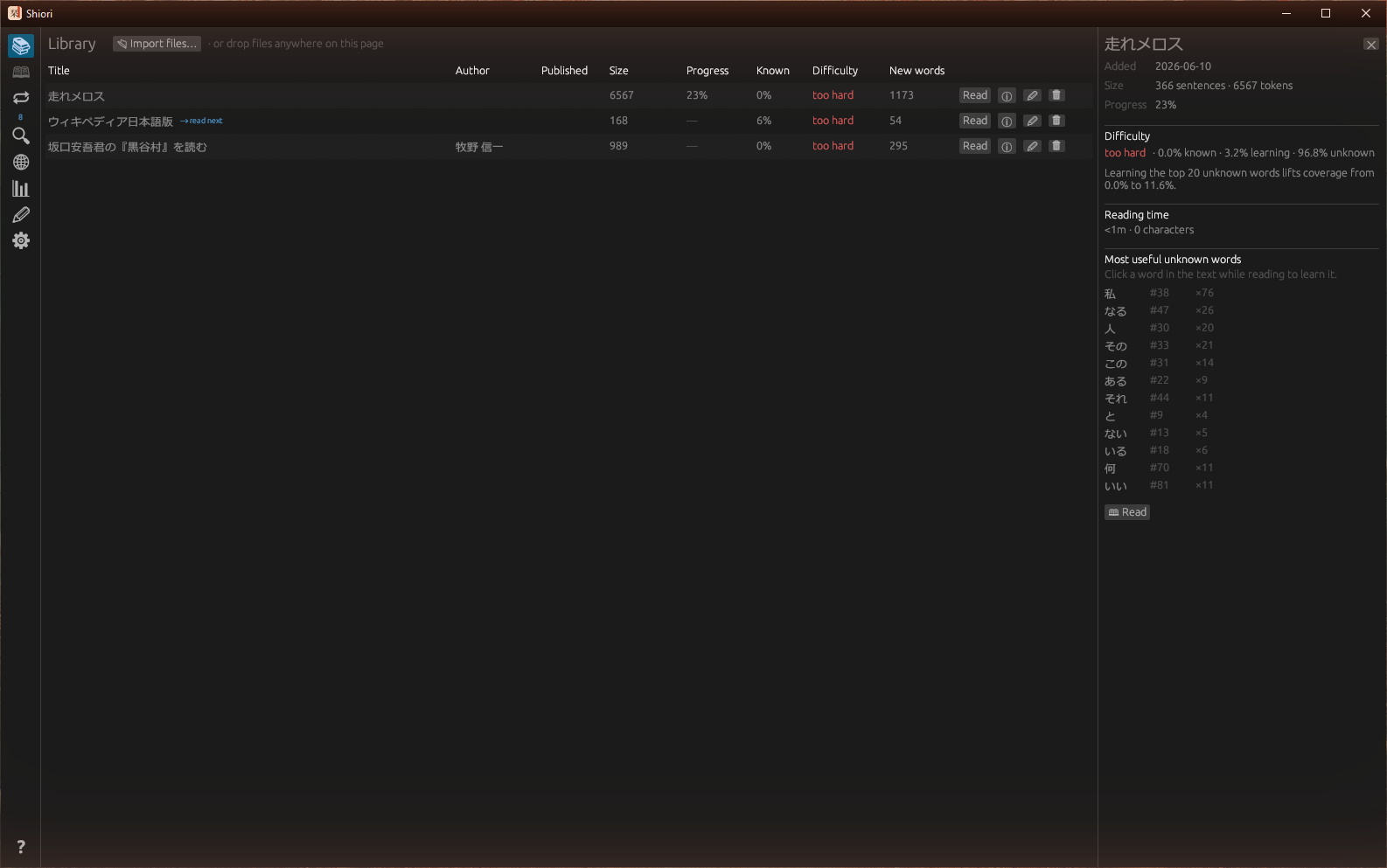
Every book is graded against what you actually know, with coverage forecasts, reading velocity, and a JLPT-graded comfortable reading level.

Library with the book info panel: coverage forecast, reading time, most useful unknown words
Per-book analytics & a finish-the-book vocabulary sweep.
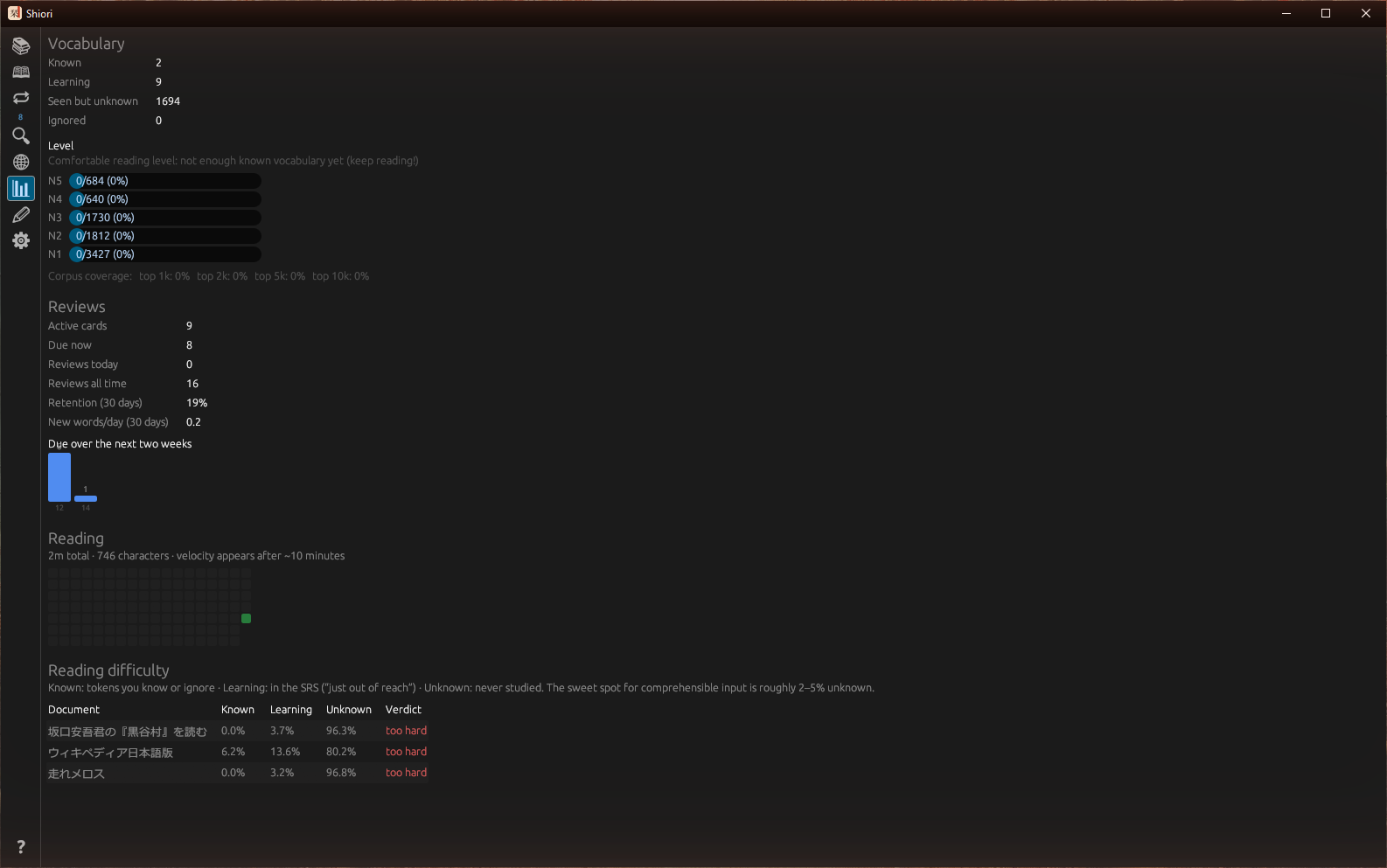
Statistics: JLPT level grading, review forecast, reading calendar
Velocity, retention, forecasts, and a reading calendar.

Everything else

FSRS spaced repetition

Cards show the word inside the sentence you found it in, framed by its neighbors, plus examples from your other books.

Anki interop

Export your cards with scheduling, or import an existing deck — SM-2 state seeds FSRS.

Four knowledge statuses

Unknown / learning / known / ignored, so names and noise never pollute your stats.

Make it yours

Dark / light / sepia themes, gothic or mincho Japanese fonts, rebindable shortcuts, adjustable typography.

Offline-first

Everything but LLM calls and online search works with no network. One SQLite file, one-click backup & restore.

Import anything

.txt, .md, .html (Aozora), .epub, .pdf — UTF-8 or Shift_JIS, by dialog or drag-and-drop.

Ready to start reading?

Grab the latest shiori-*-windows-x86_64.zip, unzip, and run shiori.exe. On first launch Shiori downloads its reference data (~20 MB) and you’re reading.